
Advanced Example Use Cases
Subqueries
Query
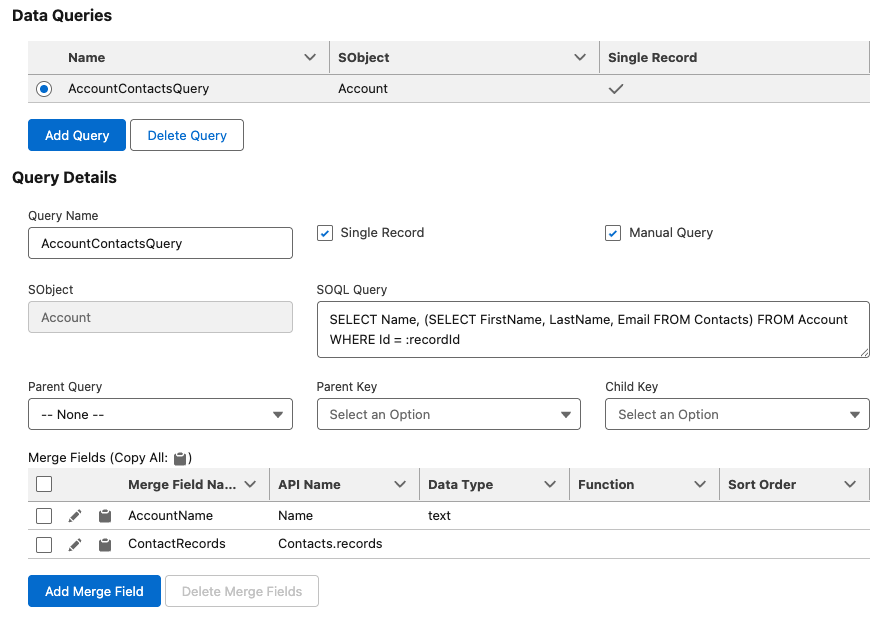
Current User and TimeZone
Query
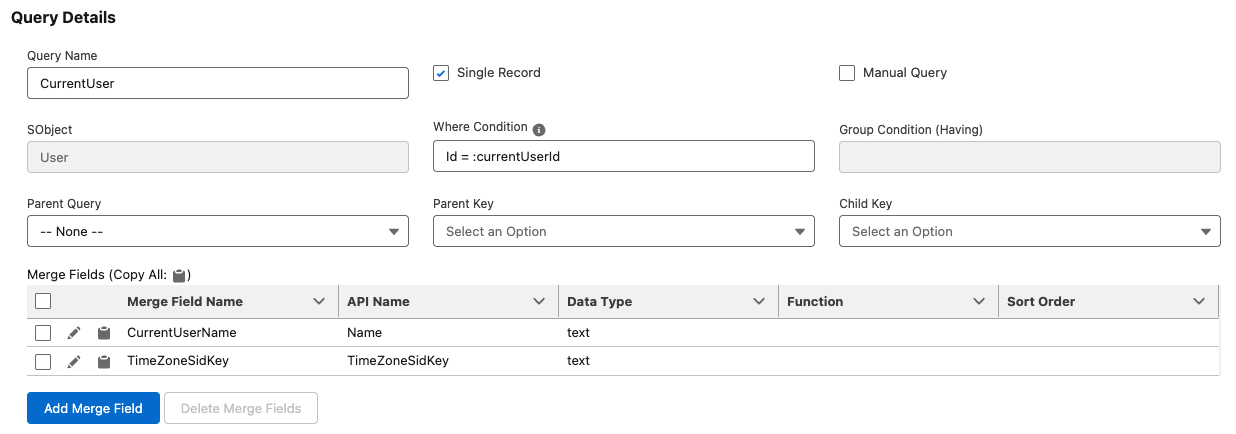
SOQL query:
SELECT Name, TimeZoneSidKey FROM User WHERE Id = :currentUserId
Dynamic Lists
Allow users to select specific records e.g. in a flow dialog and display each record in one document.
- Pass a query parameter dynamically:
queryParam=selectedRecordIdList:<id1>|<id2>|<id3> … - Use the query parameter in the where clause:
… WHERE Id IN :selectedRecordIdList
Custom Fonts
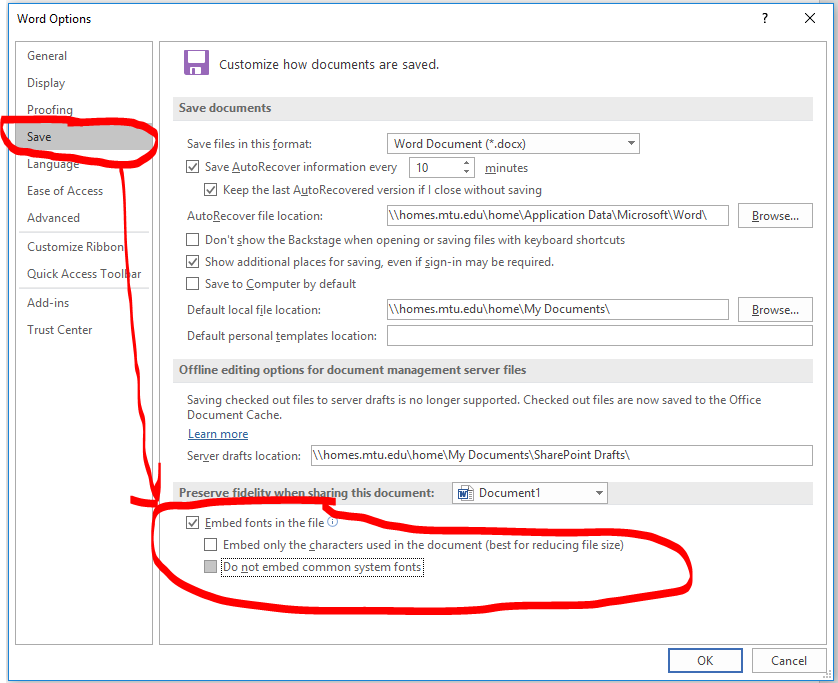
How to use custom fonts in the generated PDF
"...Under the section "Preserve fidelity when sharing this document", check "Embed fonts in file" and uncheck "Do not embed common system fonts"..."
Public Images
Sometimes you want to display images which have been uploaded to Salesforce in an IdealDoc document. To display an image in an IdealDoc it needs to be publicly accessible.
To achieve that without creating public links for all images a workaround is to create a public site and a related public object with at least one record. Then automatically (in apex code) relate each new image through a new contentdocumentlink with the public record and add a corresponding sharing entry.
Then the image is available through a public link like this:
https://<your site url>/sfsites/c/sfc/servlet.shepherd/version/renditionDownload?rendition=THUMB720BY480&versionId=<your content version id>